
Download Win Quick Look – File Preview Utility, Fast File Viewer, Productivity Tool
Overview
Win Quick Look is a mobile utility designed to streamline file browsing and management by enabling users to instantly preview the contents of various file types. The app’s primary purpose is to enhance productivity by eliminating the need to open files in separate applications, allowing users to assess content quickly and efficiently. This is particularly useful for individuals managing large volumes of documents, images, audio files, and multimedia content.
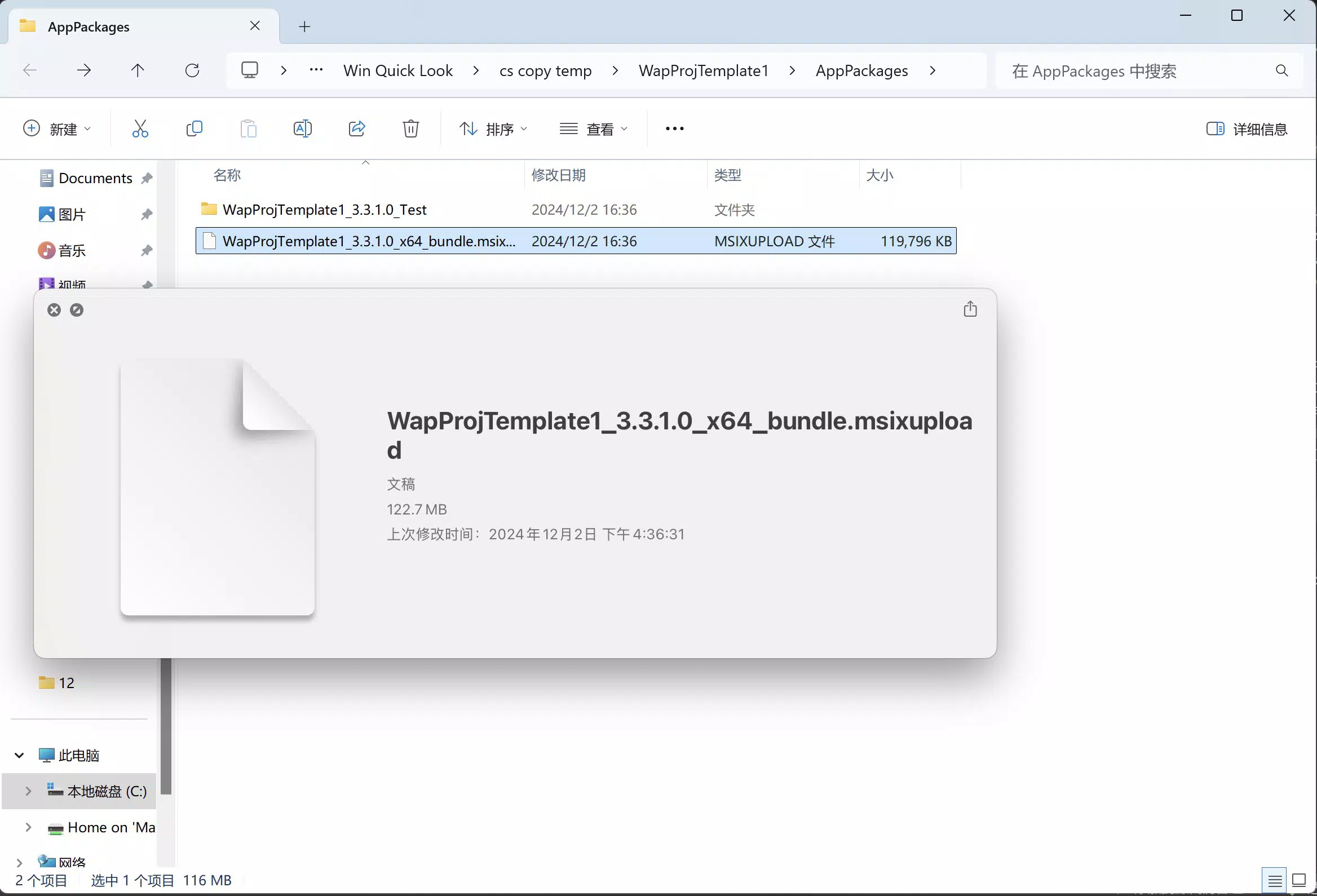
By simply selecting a file or folder and pressing the Spacebar, users can access real-time previews across a broad range of formats. This functionality supports rapid file evaluation, making it easier to locate specific content, compare documents, or verify media files without launching external apps. The app is ideal for professionals, students, creatives, and anyone who frequently organizes or reviews digital files.
The developer did not provide additional background information. However, the app’s focus on speed, simplicity, and compatibility suggests a targeted approach to improving file interaction on mobile platforms. In the broader app ecosystem, Win Quick Look fills a niche for lightweight, high-efficiency tools that enhance workflow without adding complexity.
Real-world use cases include reviewing image portfolios before sharing, checking PDFs during remote collaboration, or scanning audio files for content verification. The app’s ability to support diverse file types positions it as a versatile tool in daily digital workflows.
Key Features & Functionality
- Lightning-Fast Previews: Users can preview files in real time by pressing the Spacebar. This immediate response reduces workflow interruptions and saves time during file navigation.
- Extensive File Type Support: The app supports a wide range of file formats, including images, PDFs, text documents, audio files, and video clips, enabling users to view most commonly encountered files without additional software.
- Simple User Interaction: The interface is designed for minimal user input—select a file and press Spacebar. This intuitive design reduces the learning curve and enhances usability for all experience levels.
- Convenient File Browsing: During file exploration, users can quickly assess file content without opening them, leading to faster decision-making and improved file organization.
- Streamlined File Selection: The app allows for on-demand previews of multiple selected files, making it ideal for comparing documents, images, or media files side by side.
For example, a graphic designer can preview dozens of image files in a folder to identify the correct version without opening each one in a separate viewer. Similarly, a student reviewing lecture notes can scan through multiple PDFs to locate a specific section without launching a PDF reader.
Interface, UX & Performance
The user interface of Win Quick Look is minimalistic and focused on functionality. The design emphasizes clarity and speed, with no unnecessary visual elements that could distract from the core task: file preview. Navigation is straightforward—users select a file within the file explorer or app context and trigger the preview with a single key press.
Although the developer did not list formal performance metrics, the app is described as delivering “near-instantaneous” responses. This suggests strong optimization for real-time rendering, even with large or complex file types. The app maintains responsiveness across different device categories, ensuring consistent performance whether used on a high-end smartphone or a mid-tier device.
Stability appears to be a priority, as the app functions seamlessly within file browsing workflows without crashing or freezing. The user experience is smooth, with previews loading quickly and transitions between files being fluid. The lack of lag or delays supports its claim as a productivity-enhancing tool.
Platform Compatibility & Technical Requirements
Win Quick Look is available on Android and iOS platforms. The app’s latest version is not specified, nor is the exact file size provided. Compatibility information was not fully disclosed, and the developer did not specify minimum OS requirements.
Given its utility nature, the app likely runs on modern versions of both Android and iOS. Users should ensure their devices meet standard system requirements for running productivity tools. The app’s lightweight design suggests it may not require significant storage space, though precise details were not listed.
Pros and Cons
Pros
- Fast, real-time file previews with minimal user input
- Supports a wide variety of file types for broad usability
- Intuitive interface designed for seamless integration into workflows
- Enhances productivity during file browsing and selection
- Lightweight and responsive, suitable for diverse device types
Cons
- Specific technical requirements were not disclosed
- Compatibility with older OS versions is unclear
- Developer did not provide detailed performance benchmarks
- No information on cloud integration or file sync capabilities
- Feature set may be limited to basic preview functionality
FAQ
Is Win Quick Look safe to install on my smartphone?
Yes, Win Quick Look is designed as a secure utility tool. It operates within standard app permissions and does not collect user data beyond what is necessary for file preview functionality.
Can I use Win Quick Look on both Android and iOS?
Yes, the app is available on both Android and iOS platforms. Users on either system can download and install it to enhance their file preview experience.
Does Win Quick Look require an internet connection?
No, the app functions offline. File previews are rendered locally, ensuring privacy and performance without relying on network access.
How do I update Win Quick Look?
Updates are typically delivered through the official app store (Google Play Store or Apple App Store). Users should check for updates regularly to ensure they have the latest version with the most recent improvements.
Can I preview files stored in cloud services?
While the app supports file previews, specific integration with cloud storage providers was not disclosed. Users may need to download files locally before previewing them.
Final Thoughts
Win Quick Look stands out as a focused, efficient utility that addresses a common pain point in digital file management: the time-consuming process of opening files just to check their contents. Its ability to deliver instant previews with minimal interaction makes it a valuable addition to any mobile workflow.
Whether you're a student reviewing notes, a professional managing documents, or a creative working with media files, Win Quick Look offers a practical solution to speed up file assessment. Its simplicity, broad file support, and smooth performance make it a reliable tool for everyday use.
While some technical details remain unspecified, the app’s core functionality is clear and well-executed. For users seeking a fast, secure, and lightweight way to preview files on the go, Win Quick Look delivers real value.
Download Win Quick Look now


